Restore Group Settings
- Once you have updated firmware for all units to v5.27 or later. Open browser and enter ip address into the URL. Then select Group Setup.
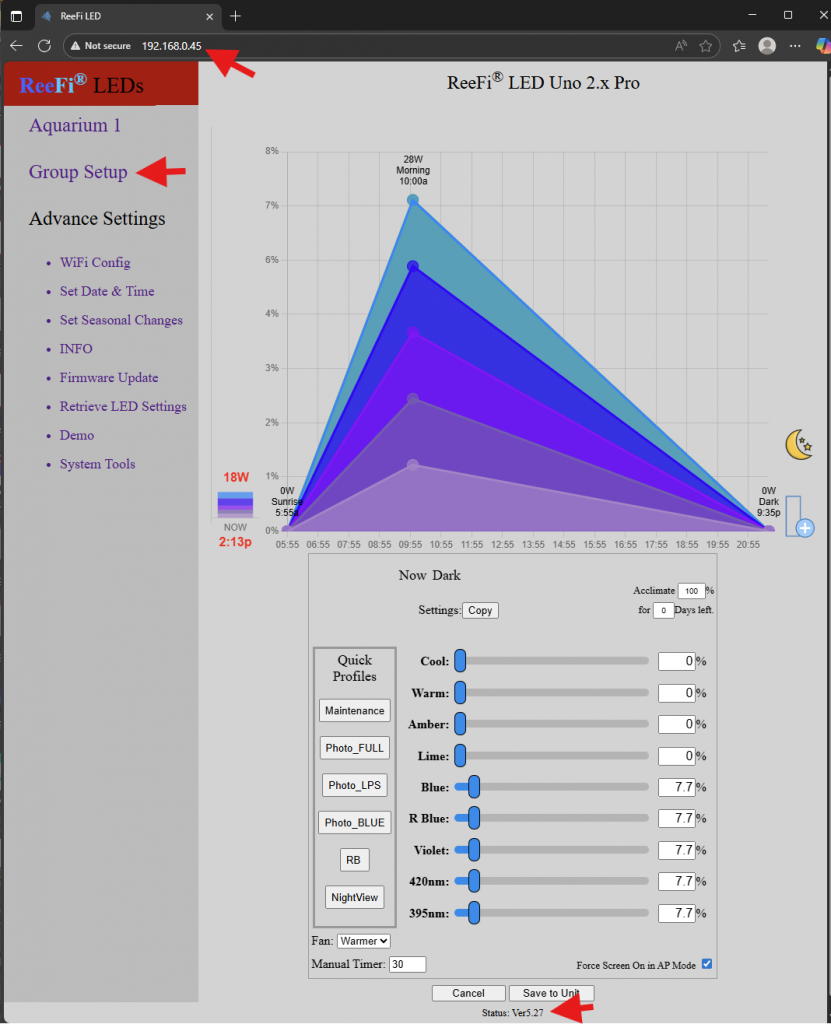
2. Click on Choose File, select your saved “gleds.txt”, open.
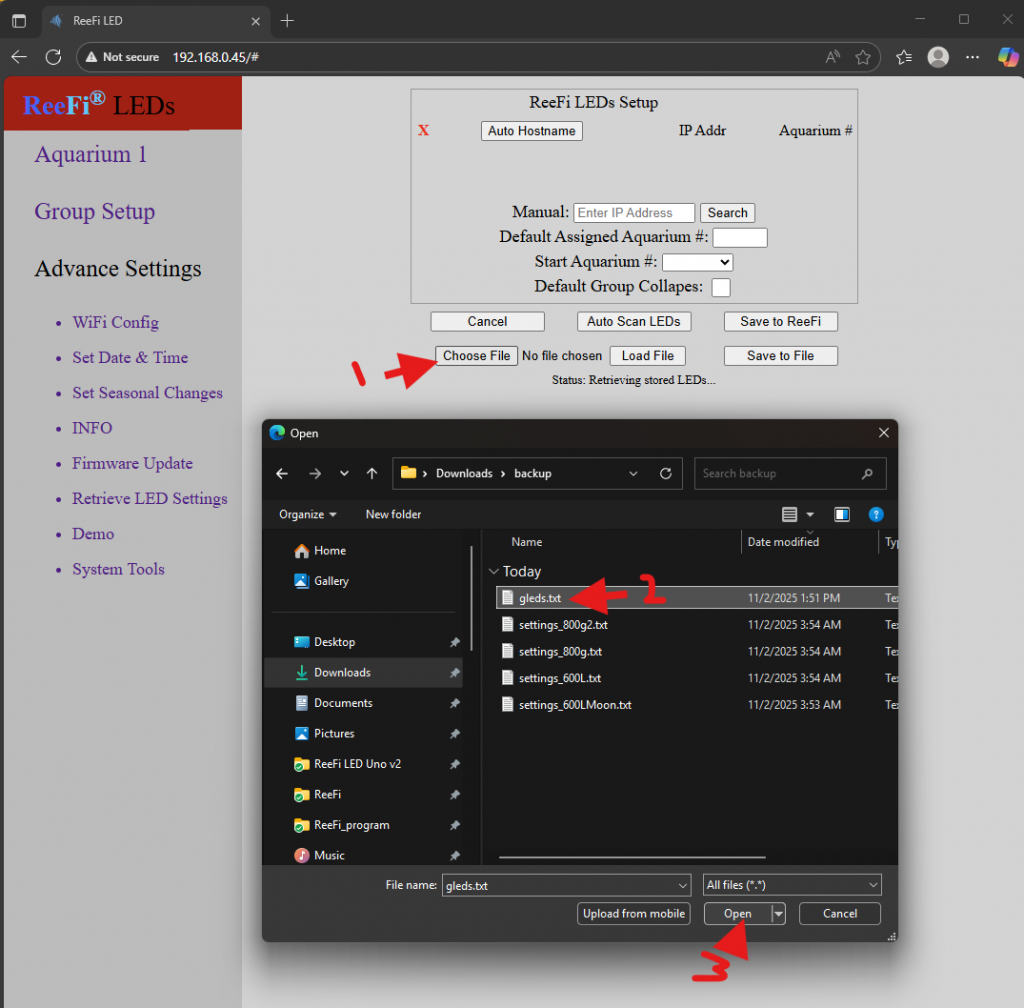
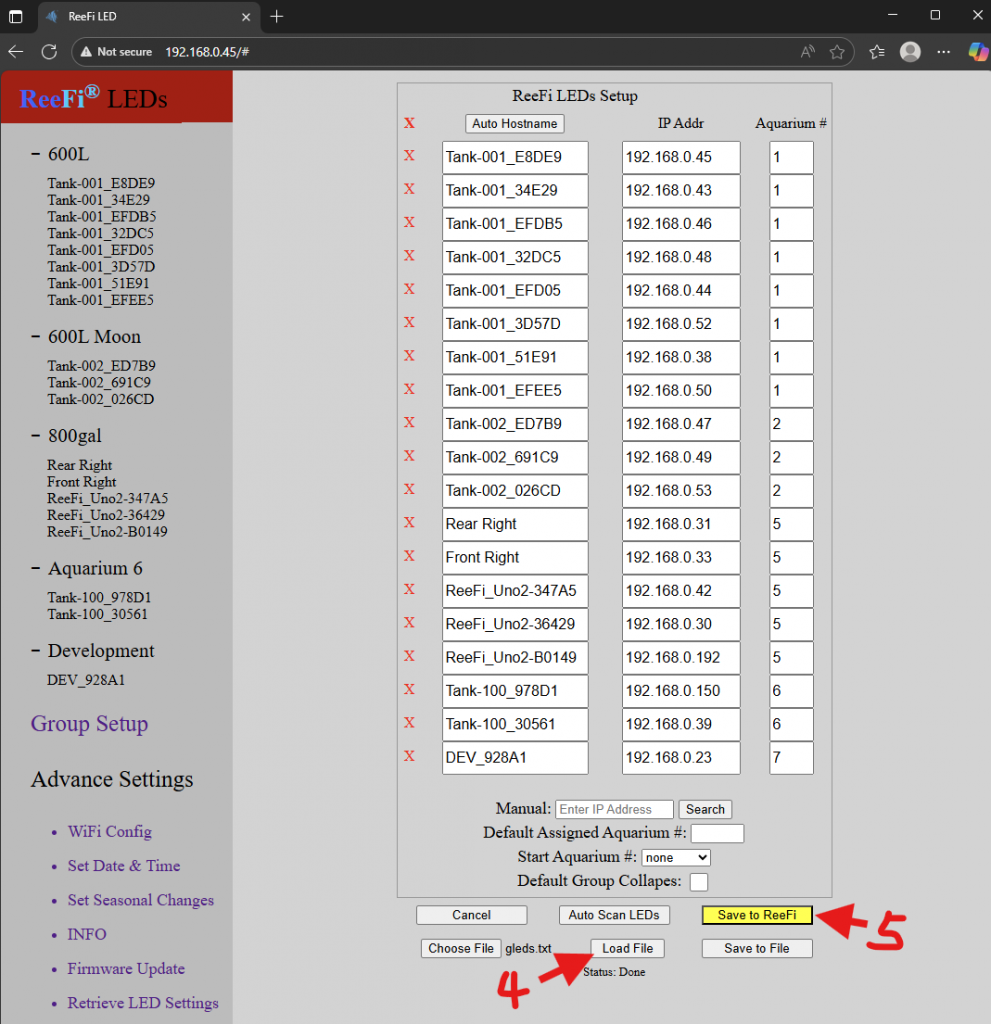
3. Then select Load File. Save to ReeFi will turn yellow. Click on Save to ReeFi to save Group settings.
Create Groups without backup file
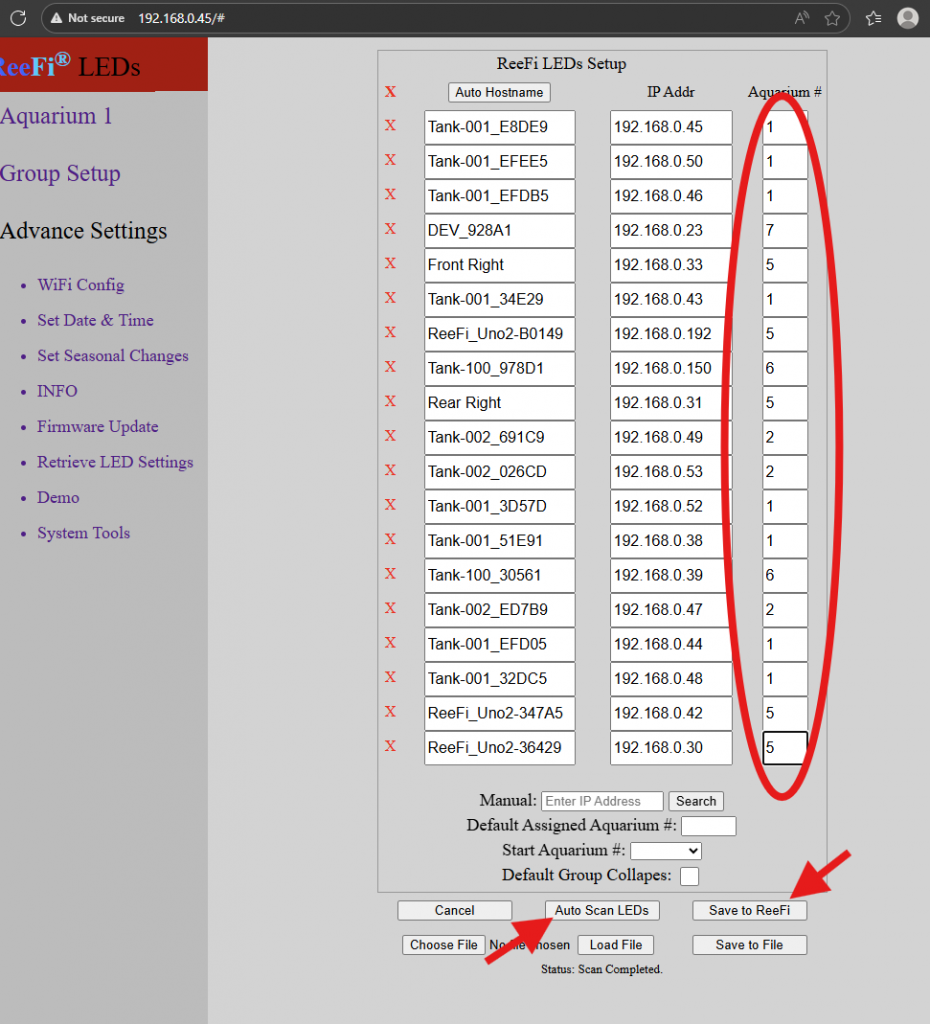
- Once you have updated firmware for all units to v5.27 or later. Open browser and enter ip address into the URL. Then select Group Setup.
2. Select Auto Scan LEDs (for very large number of ReeFi’s, wait up to a couple mins). Assign units to appropriate Aquarium group. Then Save to ReeFi.
Restore LED Settings from External Backup
- Now with Aquarium Groups restored or recreated from above. Select each Aquarium Group from Menu. Then select Retrieve LED Settings.
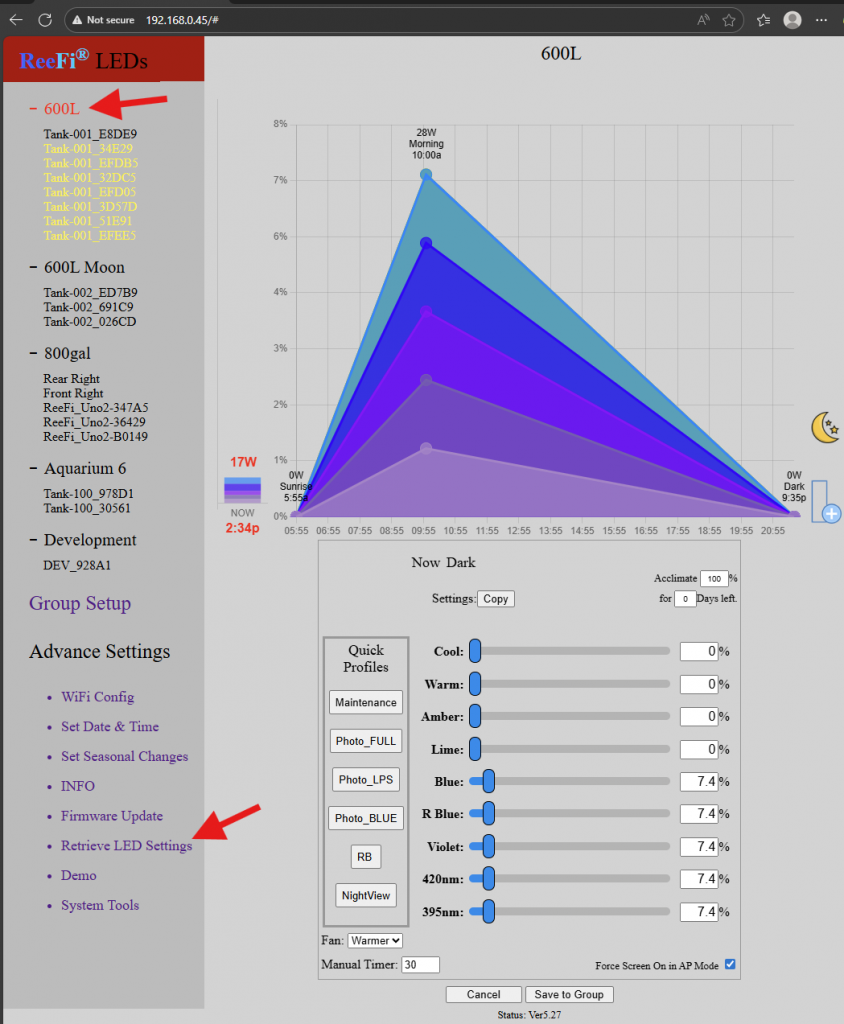
2. If you saved to ReeFi Cloud, Select Load User LED Settings from ReeFi Cloud.
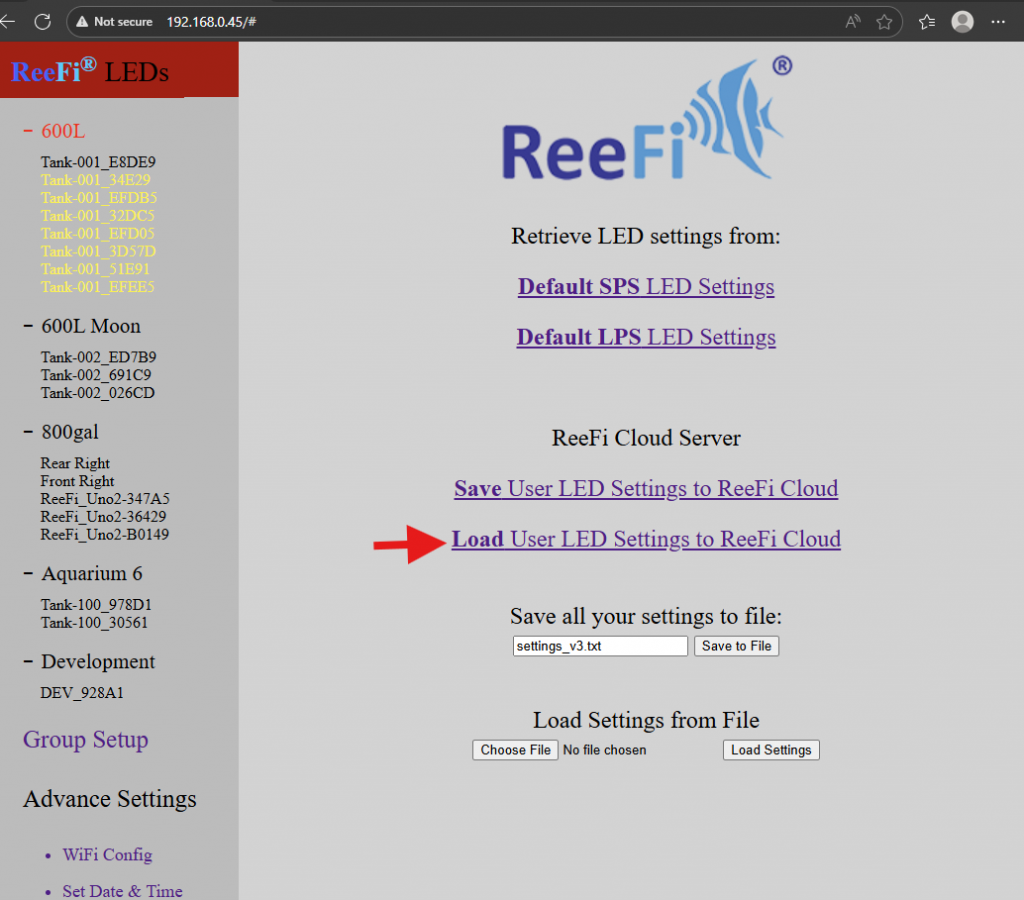
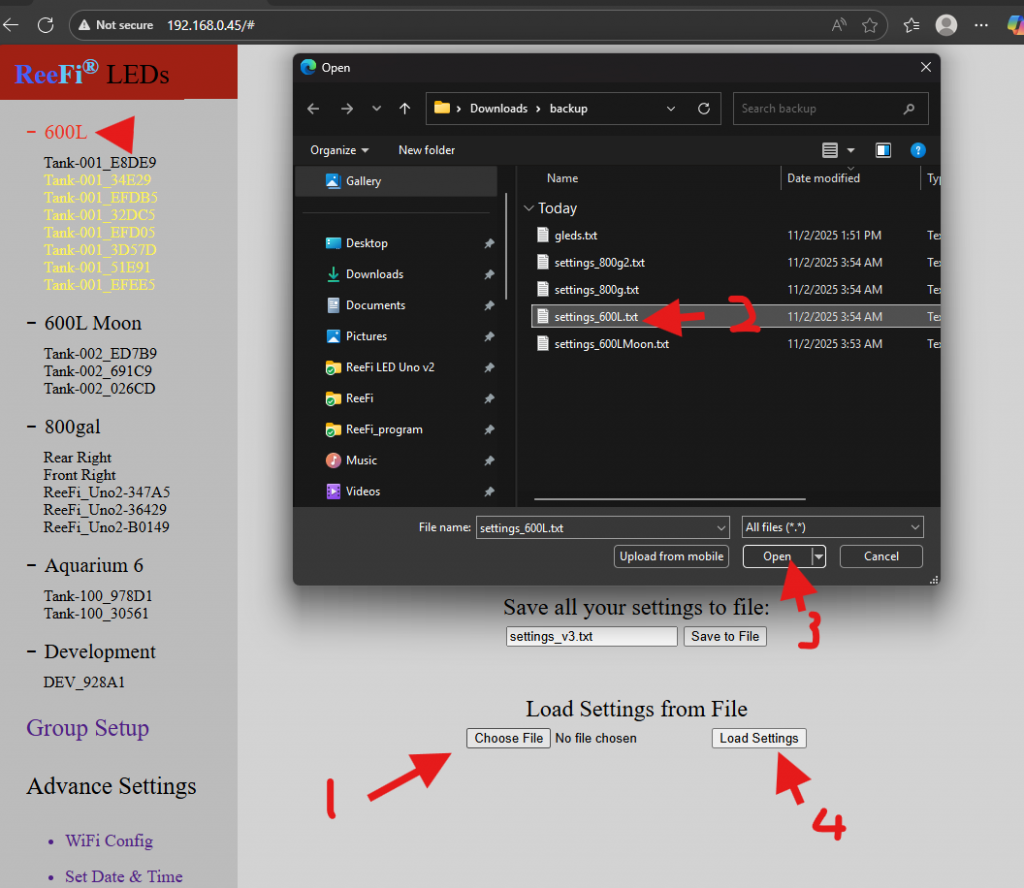
Or click on Choose File, select the backup LED settings files, open, then select Load Settings.
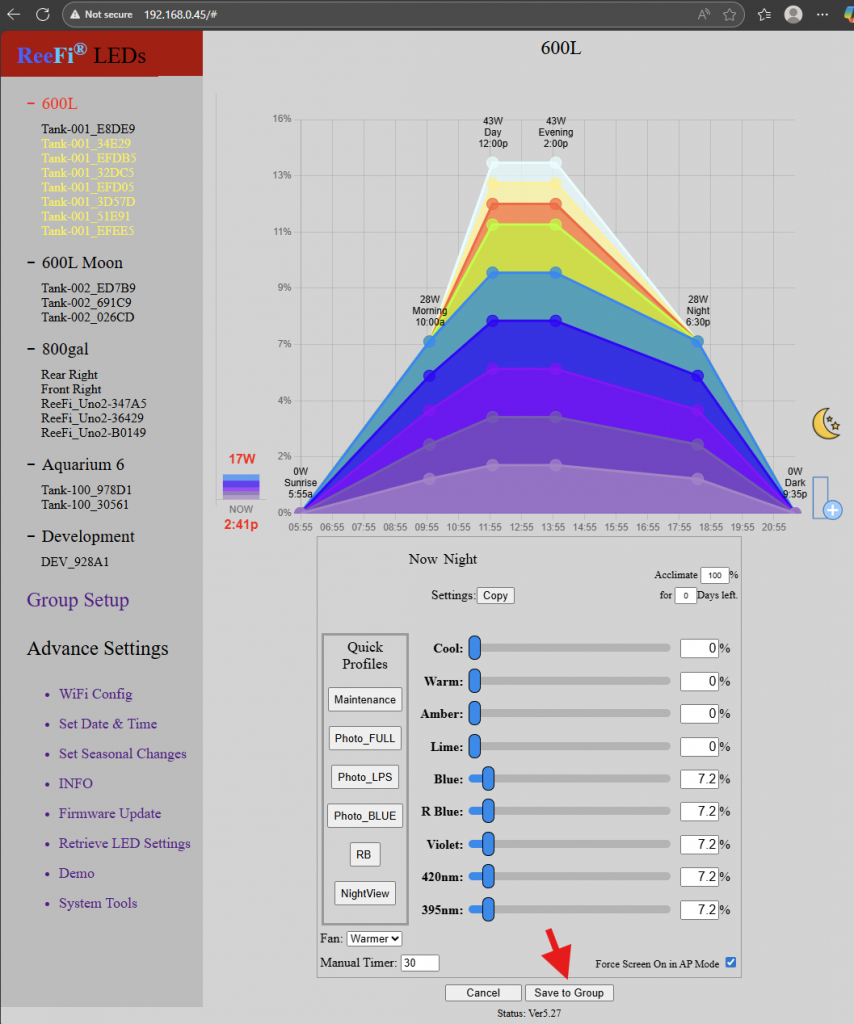
4. Then select Save to Group.
5. Click on the Aquarium Group to confirm all units under that Aquarium Group have the same LED settings. Any unit with different settings will be highlighted in Yellow.
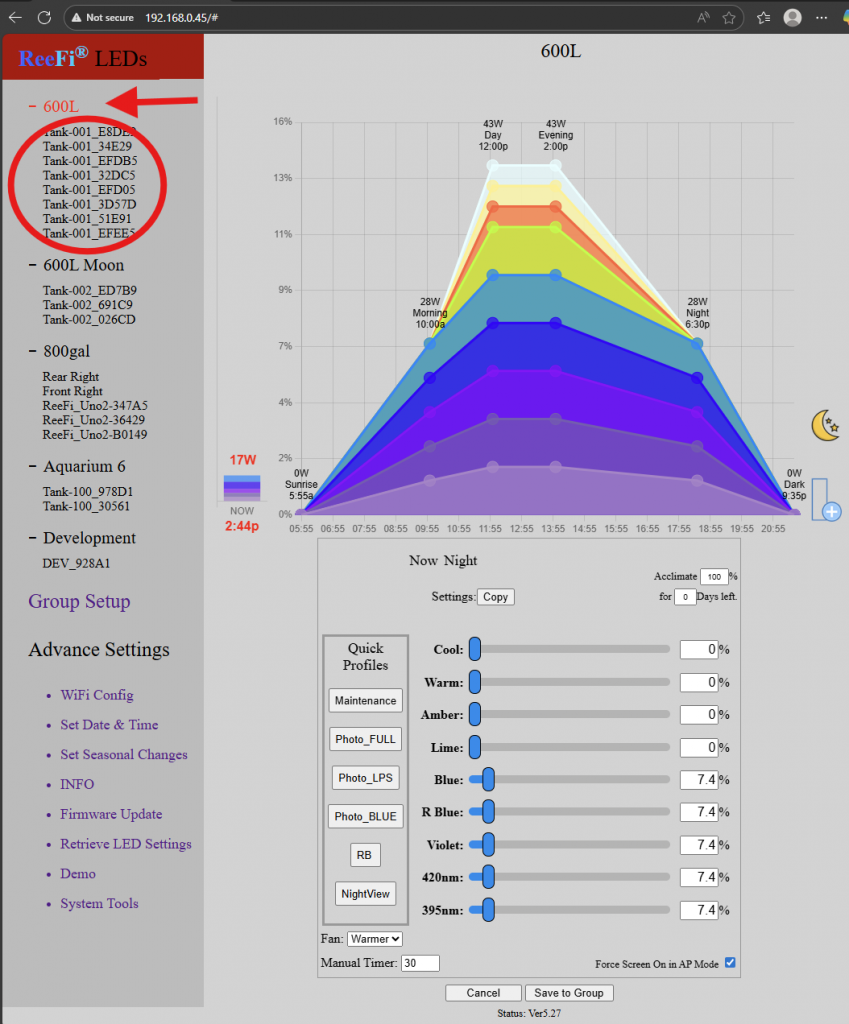
6. Repeat Step 1 to Step 5 for all other Aquarium Groups (ex, 600L Moon, 800gal, Aquarium 6, Development).