Backup Group Settings:
- Open browser and enter your ReeFi’s ip address (ReeFi must be connected to your wifi network, not in AP mode).
If you do not have any Groups, you can skip backup group settings, go to backup LED settings below.
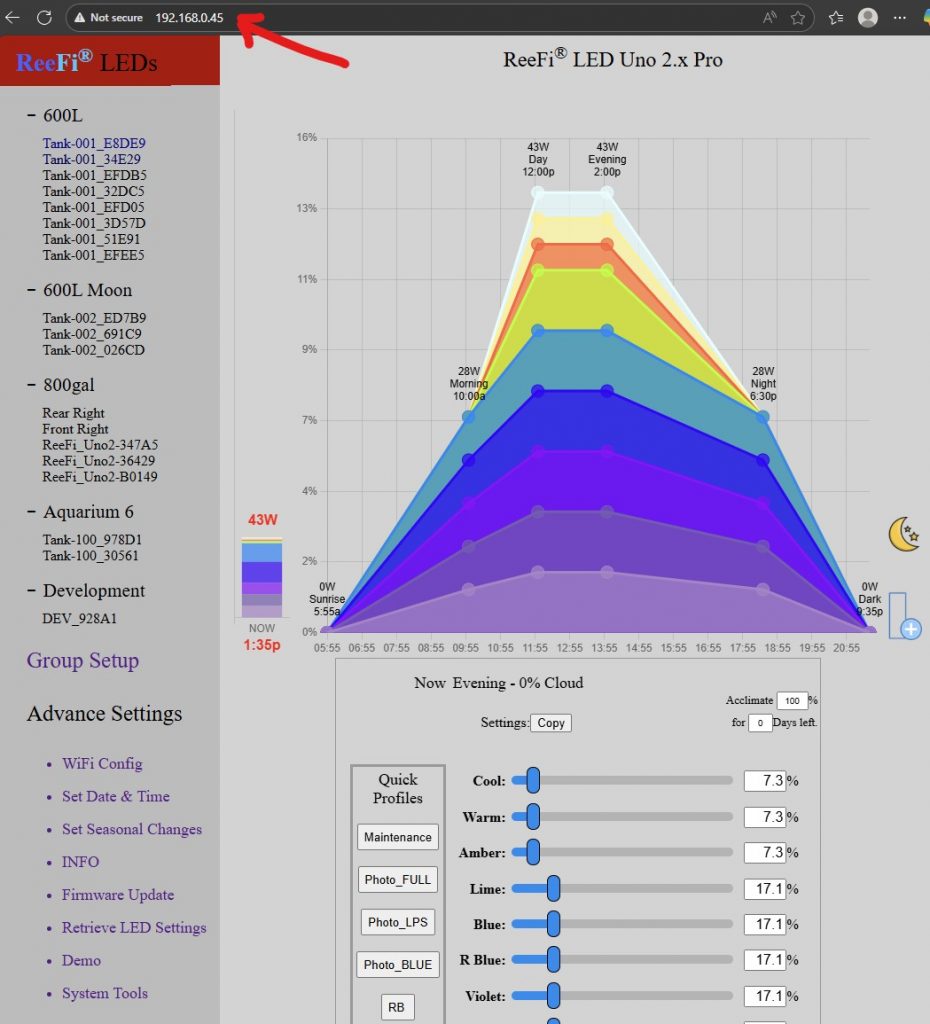
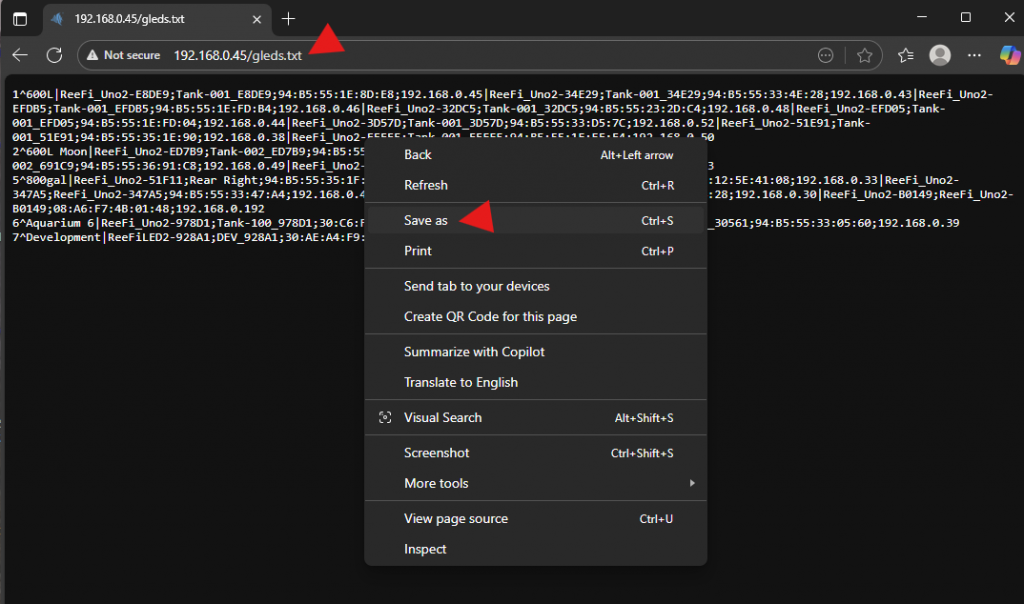
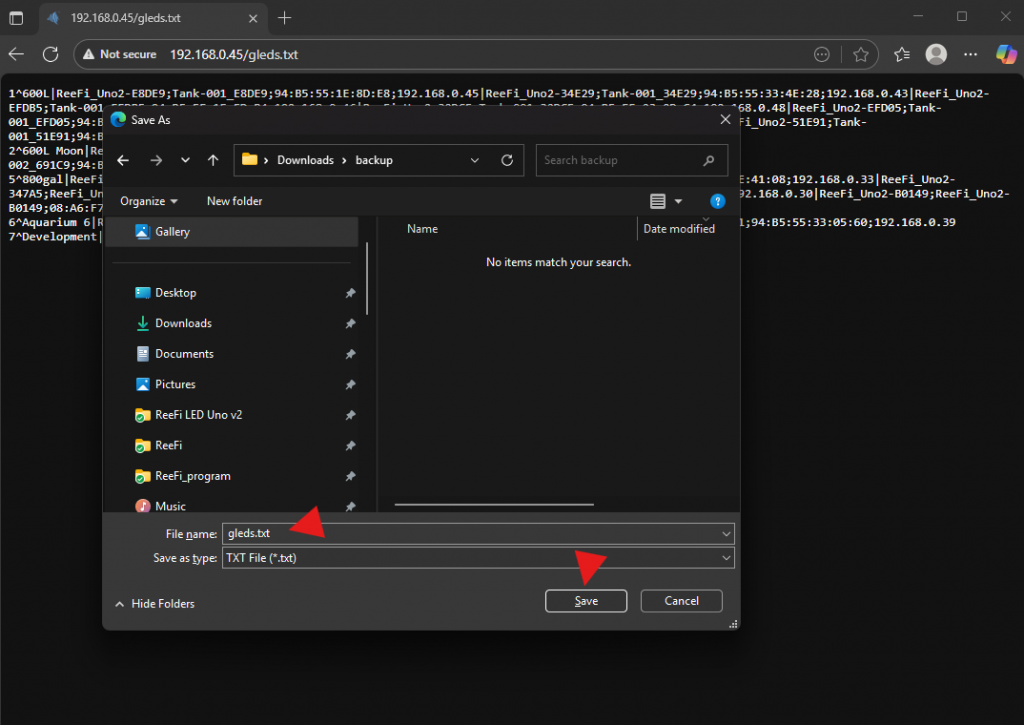
2. At the end of the URL add “/gleds.txt” and enter. This will show you a text version of your Group settings. Save it to file, “gleds.txt”, by right click and select “Save as”.
Backup LED Settings
- Open browser and enter your ReeFi’s ip address (ReeFi must be connected to your wifi network, not in AP mode).
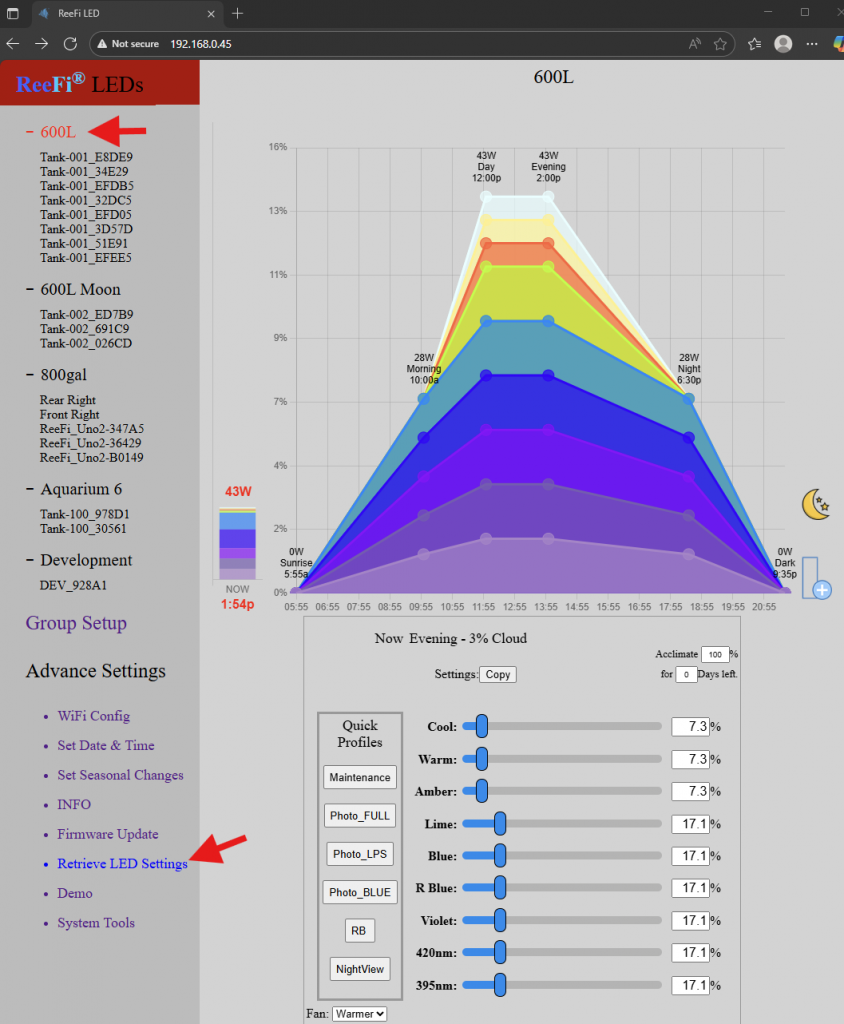
2. For each Aquarium group, from Menu, select the Aquarium group, select Retrieve LED Settings.
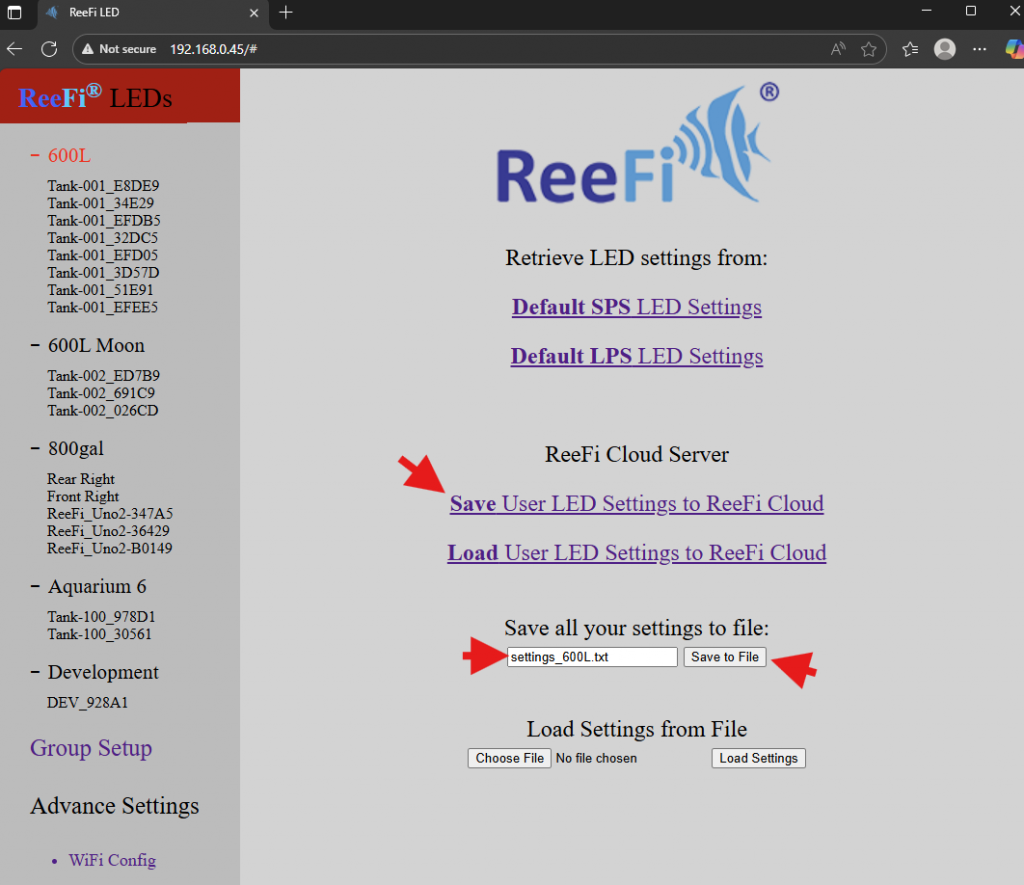
3. Select “Save User LED Settings to ReeFi Cloud” and/or enter unique filename then click on Save to File.
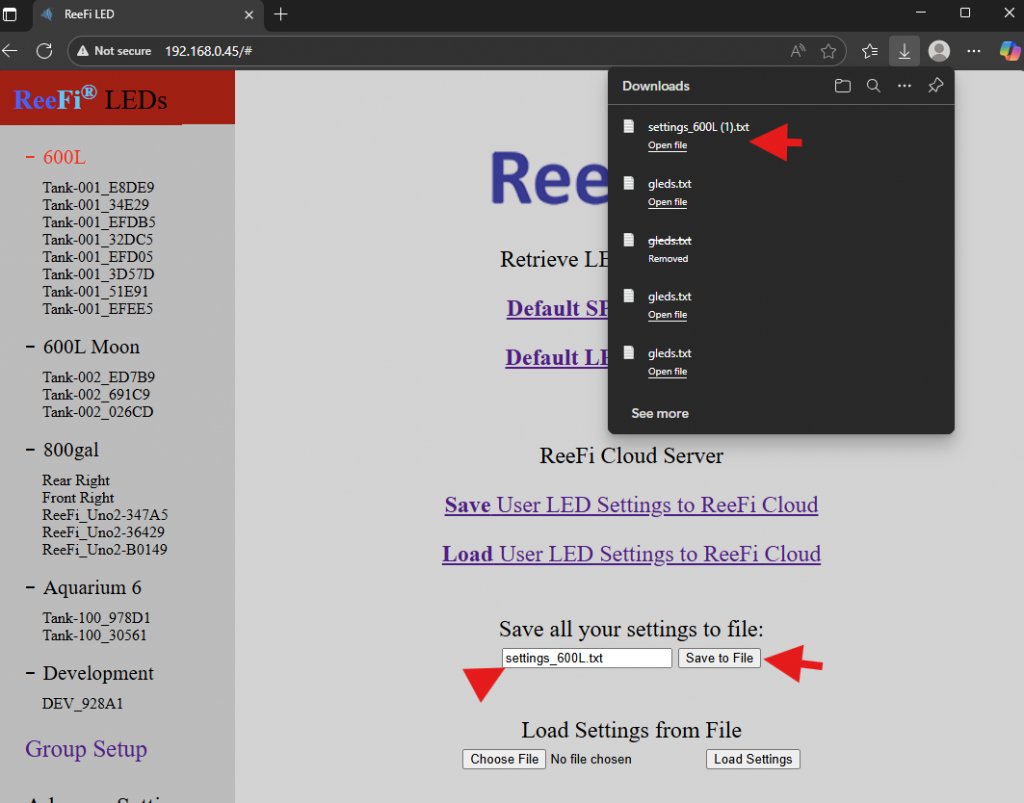
4. Repeat Step 2 to Step 3 for all Aquarium Groups (for example: 600L, 600L Moon, 800gal, Aquarium 6, Development).